Grammarly
If you’ve ever stared at your screen wondering if “there” should be “their,” or paused before hitting “send” on an email because something just didn’t feel right, then Grammarly might just be your new best friend.
In this honest Grammarly review, I’ll walk you through what it is, how it works, what it costs, and whether it’s worth using — especially if you’re a student, blogger, freelancer, or simply someone who wants to write better.
Let’s dive in
✅ What is Grammarly?
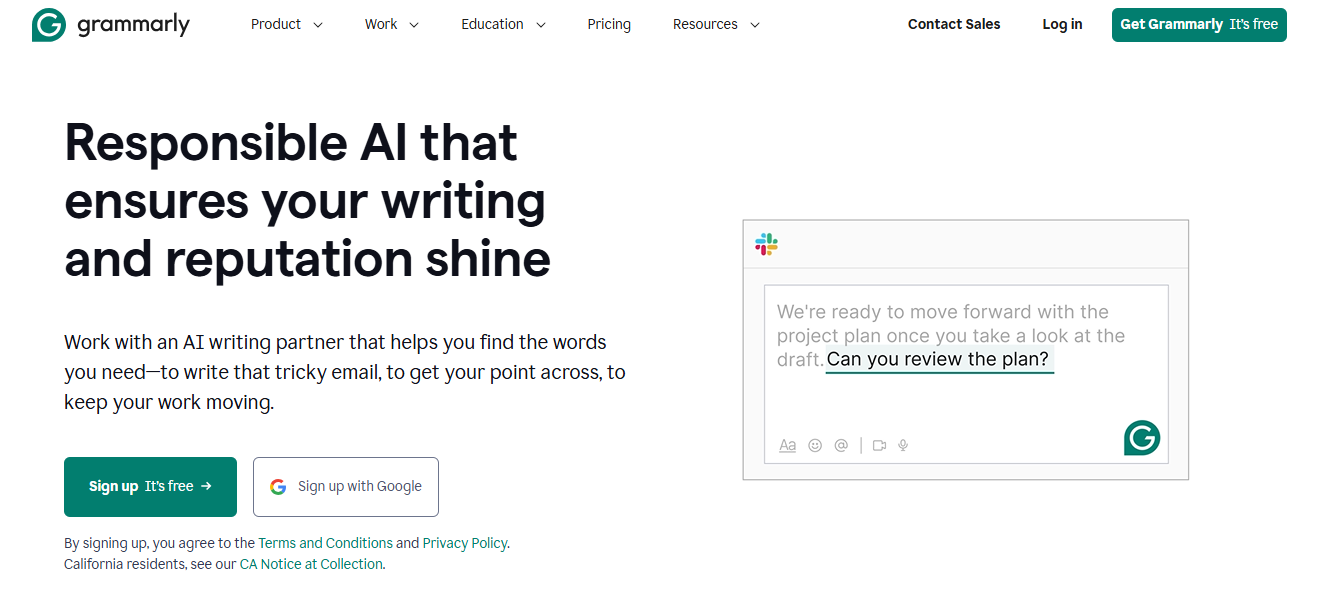
Grammarly is an AI-powered writing assistant that checks your spelling, grammar, punctuation, and writing style in real time. It’s more than a spellchecker — it helps you communicate more clearly and effectively, whether you’re writing essays, emails, blog posts, or social media updates.
It works across:
- Web browsers (Chrome, Safari, Firefox)
- Google Docs & Microsoft Word
- Desktop and mobile apps
- Email clients like Gmail
- Social media platforms
You write — and Grammarly does the smart editing in the background.
🧠 Grammarly’s Top Features
Here’s what you get with Grammarly:
1. Grammar and Spell Check
Instant corrections for typos, grammar errors, and punctuation.
2. Clarity Suggestions
Simplifies awkward or wordy sentences.
3. Tone Detection
Tells you how your message sounds — formal, friendly, assertive, etc.
4. Style and Formality Adjustments
Helps match your tone with your audience.
5. Vocabulary Enhancements
Recommends stronger words and eliminates repetition.
6. Plagiarism Checker (Premium)
Scans billions of web pages to ensure originality.
🆓 Grammarly Free vs Premium: What’s the Difference?
Grammarly Free Plan Includes:
- Basic spelling, grammar, and punctuation correction
- Conciseness suggestions
- Works across web and apps
Perfect for casual writing and everyday use.
Grammarly Premium Adds:
- Advanced grammar fixes
- Full-sentence rewrites
- Tone and clarity improvements
- Word choice and fluency suggestions
- Plagiarism detection
Ideal for professionals, students, content creators, and non-native English speakers who want to sound fluent and polished.
🙋♀️ My Experience Using Grammarly
As a blogger and freelance writer, I’ve been using Grammarly for years. I started with the free version, which caught small errors here and there. But when I switched to Premium, the quality of my writing improved dramatically.
Grammarly didn’t just fix mistakes — it taught me why I made them.
For example, Grammarly suggested turning:
“She very quickly left the room.”
Into:
“She rushed out of the room.”
It’s smoother, more direct, and reads like something a professional wrote.
Plus, the tone detector has saved me from sounding too stiff or too casual in emails more than once!
👍 What I Love About Grammarly
- User-friendly: Clean interface and works in real-time.
- Cross-platform: Works on almost every website and app I use.
- Educational: Helps you improve your writing over time.
- Customizable: You can set goals for audience, tone, formality, and intent.
- Time-saving: Speeds up editing and proofreading — no second-guessing.
👎 What Could Be Improved
- Overcorrecting: Sometimes it suggests unnecessary changes. But you can ignore suggestions.
- It’s Not Human: For creative writing or complex documents, a real editor is still better.
- Premium Price: It can be pricey if you’re on a budget, but there are discounts if you pay yearly.
💸 Grammarly Pricing (as of 2025)
| Plan | Price |
|---|---|
| Monthly | $30/month |
| Quarterly | $60 every 3 months |
| Annual | $144/year ($12/month) |
If you’re a regular writer, the annual plan offers the best value.
🧑💻 Who is Grammarly For?
Grammarly is for anyone who writes, but it’s especially useful for:
- ✅ Students: Get help with essays, assignments, and research papers.
- ✅ Bloggers & Content Creators: Keep your writing clear and engaging.
- ✅ Professionals: Write better reports, proposals, and emails.
- ✅ Non-native English speakers: Improve fluency and grammar naturally.
- ✅ Job seekers: Write stronger resumes and cover letters.
Whether you’re writing a thesis or a tweet — Grammarly has your back.
🏁 Final Verdict: Is Grammarly Worth It?
YES.
Grammarly makes your writing more polished, professional, and error-free — and it does it in real time, wherever you write.
If you’re a student, blogger, freelancer, or business writer, Grammarly Premium is totally worth the investment. And if you’re just getting started? The free version is still one of the best writing tools available.
Once you start using it, you’ll wonder how you ever wrote without it.
👉 Ready to Try Grammarly?
Click the link below to sign up and start writing smarter today:
Or unlock Premium for next-level writing — your future self (and your readers) will thank you!
Thanks for reading! If you found this Grammarly review helpful, feel free to share it or leave a comment below. Happy writing! ✍️💡