
🎨 Canva Review 2025: Is This the Best Graphic Design Tool for Non-Designers?
Whether you’re creating Instagram posts, presentations, YouTube thumbnails, or resumes — Canva is the go-to tool for quick, professional-looking designs.
Impact-Site-Verification: 3da8e164-5dc1-443e-87e4-cca667323656
But is Canva still worth it in 2025? In this Canva review, I’ll share what it can do, who it’s for, and why it’s one of the best tools for non-designers (like me!).
🖼️ What is Canva? Canva is a user-friendly online graphic design platform that lets you create almost anything visually — even if you have zero design experience. It features a simple drag-and-drop editor, thousands of ready-made templates, and a massive library of fonts, stock photos, icons, and videos.
You don’t need to download anything; Canva works right in your browser and even has mobile apps for iOS and Android. Whether you’re creating content for personal use or building a brand, Canva gives you the tools to bring your vision to life.
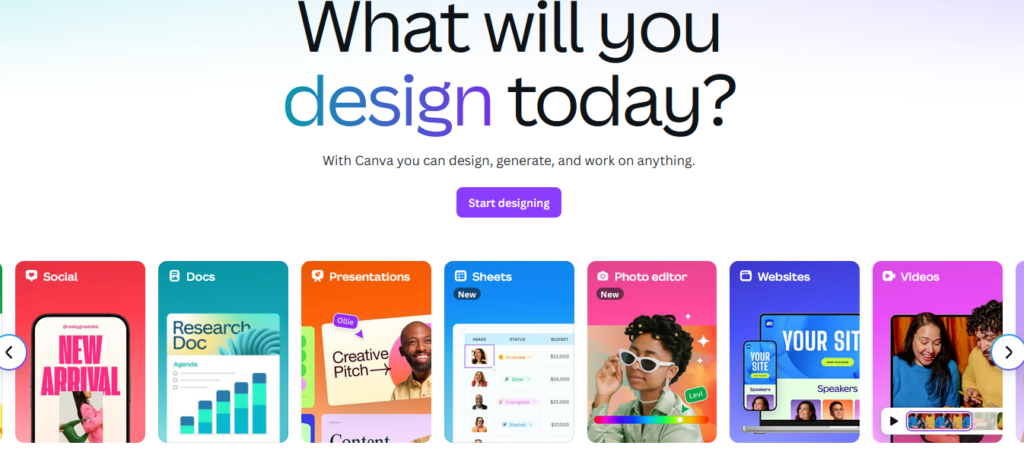
🔥 What You Can Create with Canva With Canva, the possibilities are endless. You can design:
- Social media graphics (Instagram, TikTok, Facebook, Pinterest)
- YouTube thumbnails and channel art
- Logos and branding kits
- Presentations and slideshows
- Business cards and brochures
- Resumes and cover letters
- Posters, flyers, and infographics
- Videos and animated social media posts
Canva is used by students, entrepreneurs, teachers, marketers, and even large companies. It makes design accessible to everyone, no matter your skill level.
✨ Canva Pro Features The free version is fantastic, but Canva Pro takes your design game to the next level:
- Magic Resize – Instantly adapt your design to different formats (e.g., turn a Facebook post into a story, Pinterest pin, or email banner).
- Background Remover – One click to remove backgrounds from images.
- Brand Kit – Store your brand’s colors, logos, and fonts for consistent content.
- 100+ Million Assets – Access to premium stock images, videos, elements, music, and more.
- Content Planner – Schedule social media posts directly from Canva.
- Folders and Team Tools – Organize your designs and collaborate with others easily.
- AI-Powered Tools – New in 2025, Canva includes AI image generation, smart presentations, and automatic text suggestions.
These features save hours of work and make your content look polished and cohesive.
📱 Works Across Devices Canva is accessible from any device. Start a design on your phone and finish it on your laptop. It syncs automatically and stores everything in the cloud.
It works with:
- Web browsers (no download needed)
- Mobile apps (iOS and Android)
- Desktop app (Windows and Mac)
This makes it incredibly flexible whether you’re designing at home, in class, or on the go.
💵 Canva Pricing (2025) Canva offers flexible pricing:
- Free Plan – Limited templates and assets
- Canva Pro – $12.99/month or $119.99/year (best value)
- Canva for Teams – Starts at $14.99/month for up to 5 users
Students, educators, and nonprofits may qualify for free Pro access through Canva’s special programs.
🎯 Who Should Use Canva? Canva is perfect for:
- Bloggers and influencers who need fast, beautiful social content
- Small business owners creating marketing materials
- Teachers designing lesson materials and presentations
- Students crafting resumes, reports, and visual projects
- Freelancers and marketers looking to save time and money
- Virtual assistants and content creators managing multiple brands
If you’re tired of struggling with complex design software, Canva makes it easy to look like a pro with minimal effort.
👍 Pros
- Extremely beginner-friendly
- Beautiful templates for every niche
- Works online and on mobile
- Rich free version with lots of features
- Canva Pro saves hours of editing
- AI tools boost creativity and productivity
👎 Cons
- Limited advanced editing tools (compared to Adobe)
- Offline access is limited
- Some templates look generic if not customized
- Occasional glitches when handling large files
✅ Final Verdict: Is Canva Worth It in 2025? Yes — Canva is 100% worth it in 2025. Whether you’re designing for fun, business, or content creation, Canva gives you professional-quality results without the headache.
Its mix of simplicity, power, and affordability make it one of the most valuable tools for anyone who wants to create great-looking visuals fast.
In just a few clicks, you can produce graphics that look like they were made by a pro — no graphic design degree needed.
👉 Start Designing Today Click below to try Canva Pro for free and see how easy it is to design anything, anywhere:
Happy designing! 🎨
👉 Start Designing Today
Click here to try Canva Pro for free and see how easy it is to create stunning visuals for anything!